![LOGO LEXISNEXIS.png]](https://help.henchman.io/hs-fs/hubfs/LOGO%20LEXISNEXIS.png?height=40&name=LOGO%20LEXISNEXIS.png)
In order for our integration to be able to retrieve all of the necessary fields associated to files, we have created a custom search form that is dedicated to the integration between Lexis® Create DMS and eDOCS. You can add the custom form by following these steps:
-
The .frm file is available through this link:
-
Open the DM Designer application on the server that hosts the eDOCS instance
-
In the top left corner of the DM Designer application, click File > Open From Disk...
-
Without changing any of the fields in the profile, select File > Save As
-
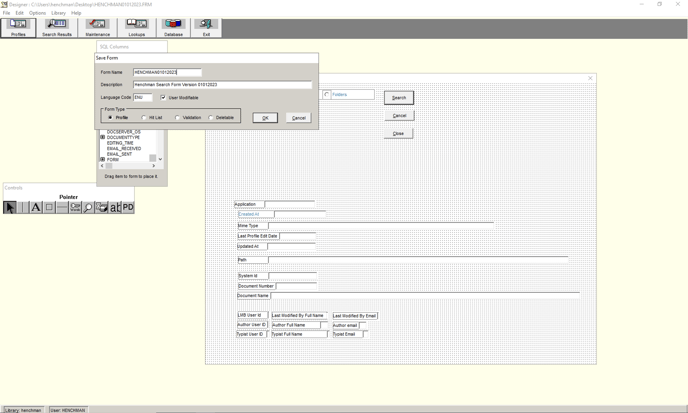
Enter the name of the search form. It is of critical importance that you give the form the correct name.
-
In the Form Type section, select the type Profile, then click ‘OK’ to save the form.
Go back to the integration guide to follow the next steps of the integration.