![LOGO LEXISNEXIS.png]](https://help.henchman.io/hs-fs/hubfs/LOGO%20LEXISNEXIS.png?height=40&name=LOGO%20LEXISNEXIS.png)
It happens that your iManage On-Premise/Work integration can be disconnected (e.g the service users password has changed, the connection token has been expired,..). When this happens we can not sync your contracts for updates. You need to reconnect as soon as possible to prevent delays and inconsistencies in your contract data.
Take the following steps to resume seamless integration:
- Open your iManage environment and log in with the Service User (created in this step).
❗ Important you don't have any browser open where you are logged in as a different user. If so, please log out. - Go to Lexis Create+ Portal > Integrations
- and login with your Lexis credentials
- Go to 'Integrations'
- Click Reconnect your account next to your iManage On-Premise/Work integration.
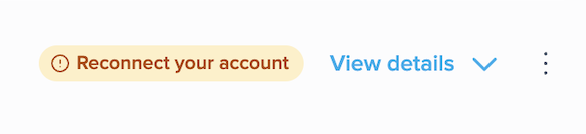
- Click Connect and log in using the original service user account.
Common issue:
Mismatching redirect URL

Since the move from Henchman to Lexis Create DMS, it's necessary to change the redirect URL in iManage.
You can do this by going to Control Center > Settings > Applications > Edit Authentication.
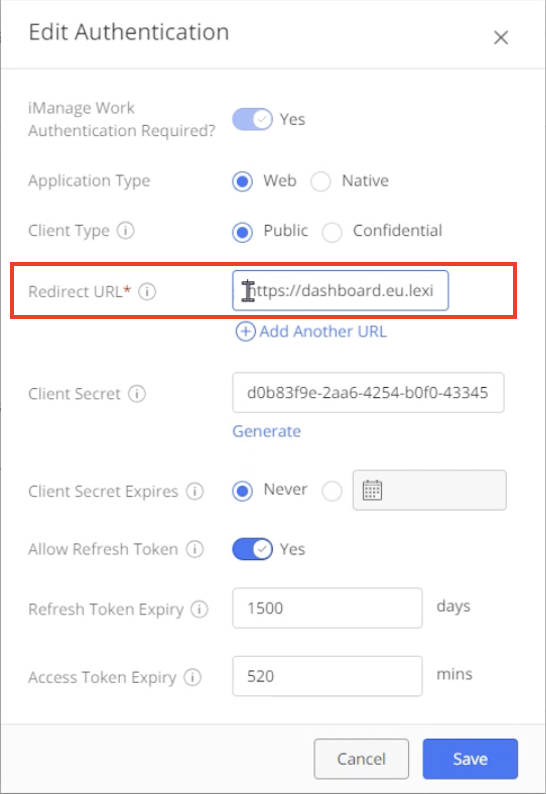
Change the existing Redirect URL to the ones below depending on your region and product:
For Lexis Create+:
- For all regions: https://dashboard.lexis.com/integrations
For Lexis Create DMS (ex-Henchman customers):
- For EU: https://dashboard.eu.lexiscreatedms.com/dashboard/integrations
- For US: https://dashboard.us.lexiscreatedms.com/dashboard/integrations
- For SA: https://dashboard.sa.lexiscreatedms.com/dashboard/integrations
Once you have changed the redirect URL, you will be able to reconnect as mentioned at the beginning of this article.