![LOGO LEXISNEXIS.png]](https://help.henchman.io/hs-fs/hubfs/LOGO%20LEXISNEXIS.png?height=40&name=LOGO%20LEXISNEXIS.png)
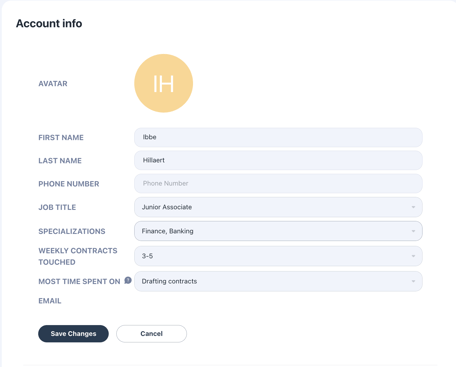
You made a mistake while activating your account, got promoted to a new role or are extending your specialisations? Follow below steps to edit your profile setting
- Open the Lexis® Create DMS add-in
- Go to settings and select Account settings,
- Click on Edit Profile in the upper right corner
- Update your personal info and click Save Changes
Want to change your account email?
Unfortunately, you cannot change your account’s email. We suggest asking your Lexis® Create DMS admin to delete your account and create a new one with your other email. For now, this is the only way.