![LOGO LEXISNEXIS.png]](https://help.henchman.io/hs-fs/hubfs/LOGO%20LEXISNEXIS.png?height=40&name=LOGO%20LEXISNEXIS.png)
Request access to "LexisNexis - Draft Faster" application
Reach out to the support of iManage (via cloudsupport@imanage.com) and request access to the "LexisNexis - Draft Faster" application.
Enable the application in the control center of iManage Cloud
An admin must enable the application in the Control Center via: Control Center > Settings > Applications > +Add Application. The Allow Refresh Tokens option must be enabled, see screenshot: 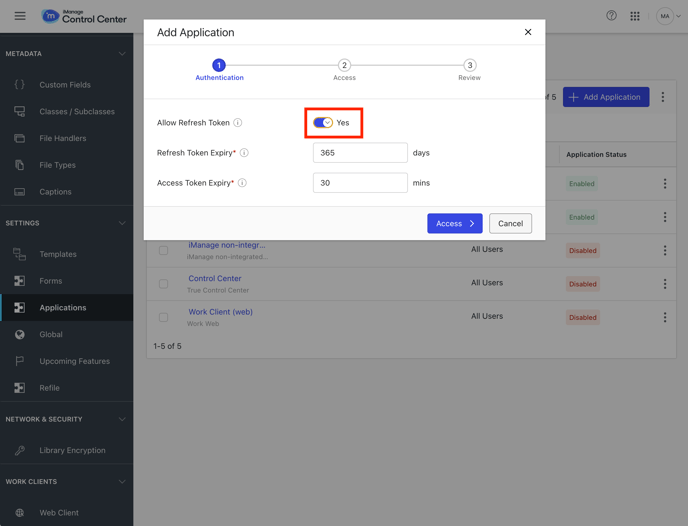
More info on this iManage HelpArticle.
Go back to the integration guide to follow the next steps of the integration.